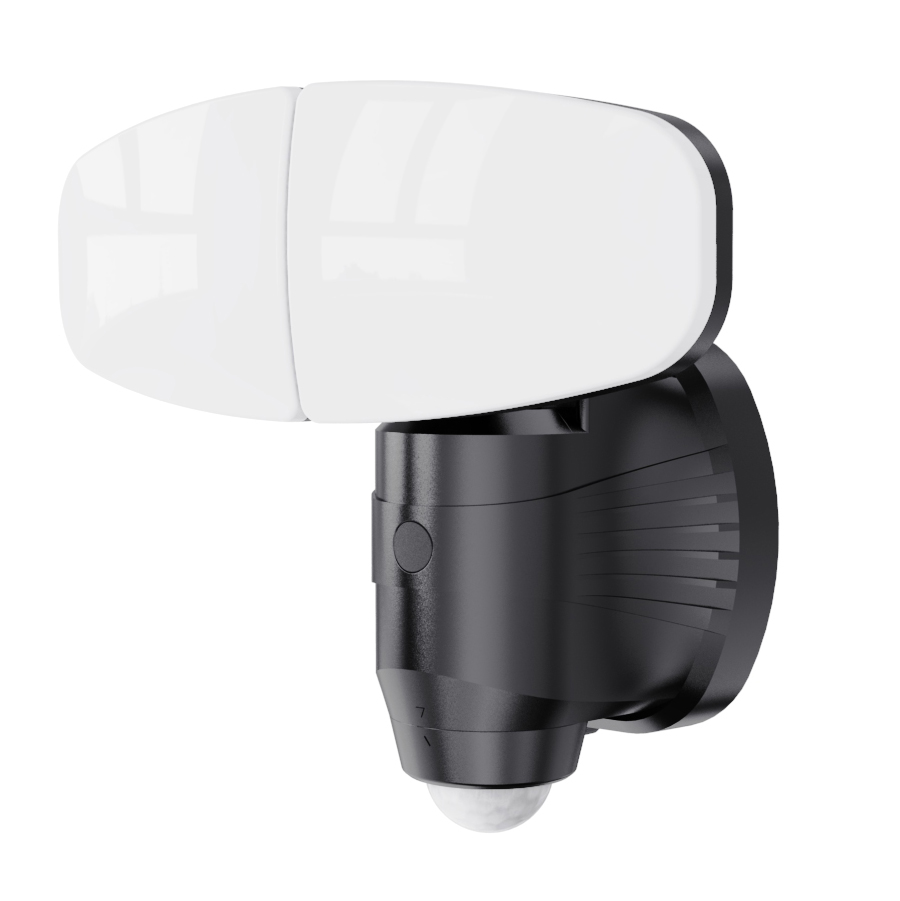

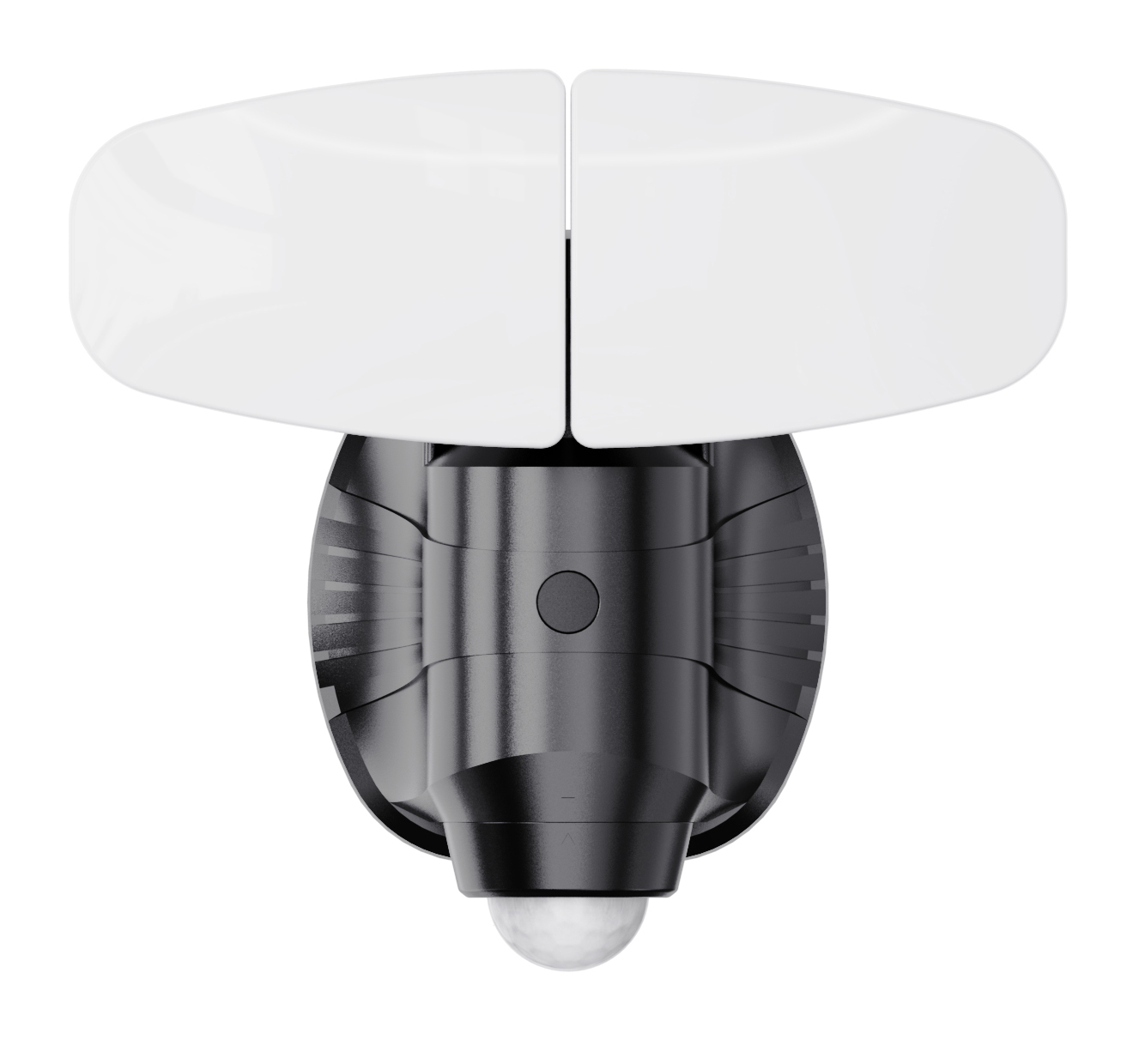
1500 Lumens AC Powered Dual Head Motion Sensor Security Light
Size of Light:21*13*19mm
Light Source:White SMD LED
LED Color Temperature:6000~6500K
Lumen Output:Maximum 1500 lumens
Power Switch:By an interior wall switch
Input Voltage:AC100~120V/60Hz
Output Power:14W
Power Factor:≥0.9
Switch for Working Mode:Manual switch selectable among TEST-AUTO-6H
Main Materlal: Whole unit is in PC plastic construction & aluminumheat-sink panel on the back of each lamp head
Detection Range:Maximum detecting angle 120°
Detection Distance:Maximum 8 meters
Time
How to Install and Set Up Your 1500 Lumens AC Powered Dual Head Motion Sensor Light
Welcome to your complete guide for installing and configuring your new AC Powered Dual Head Motion Sensor Security Light. This bright, hardwired light provides reliable illumination and enhanced security for your home. Follow these step-by-step instructions for a safe and proper installation.
⚠️ Important Safety Notice First
This is a hardwired AC electrical product (100-120V/60Hz).
Always turn OFF the power at your home’s circuit breaker before beginning installation.
If you are not comfortable working with electrical wiring, please hire a licensed electrician.
What’s in the Box?
Dual Head Security Light Unit
Mounting Bracket & Hardware
Wire Connectors (Wire Nuts)
User Manual
Step 1: Turn Off the Power
1. Go to your main circuit breaker box.
2. Locate the breaker that controls the power to the existing light fixture or the circuit where you are installing the new light.
3. Flip the breaker to the OFF position.
4. Double-check that the power is off by flipping the wall switch on and off. The old light should not turn on.
Step 2: Remove the Old Fixture (If Applicable)
1. Carefully unscrew and remove your existing old light fixture.
2. Disconnect the wires by unscrewing the wire connectors (wire nuts). Separate the black (hot), white (neutral), and ground (usually green or bare copper) wires.
Step 3: Install the Mounting Bracket
1. Thread the house wires (black, white, and ground) through the center of the new mounting bracket.
2. Align the mounting bracket over the electrical junction box.
3. Secure the bracket firmly to the box using the provided screws.
Step 4: Connect the Wires
1. Connect the wires from the light to the wires from your house using the provided wire nuts:
Black (Light) to Black (House - Hot)
White (Light) to White (House - Neutral)
Green or Bare Copper (Light) to Ground (House)
2. Carefully tuck all connected wires neatly into the junction box.
Step 5: Attach the Light to the Bracket
1. Align the keyholes on the back of the light fixture with the screws on the mounting bracket.
2. Slide the light into place and ensure it is secure.
3. Some models may use mounting screws instead. If so, use the provided hardware to screw the light body directly onto the bracket.
Step 6: Configure the Working Mode
This light features a crucial manual switch for selecting its operation mode. Locate the switch on the light's housing (often under a cover or on the side).
TEST Mode: The light stays on for 1-2 minutes after power is connected. Use this mode to test and adjust the sensor and light heads during installation.
6H Mode: The motion sensor is only active for the first 6 hours after dark. After 6 hours, the light will not turn on with motion to conserve energy. Ideal for areas where activity is limited to early evening hours.
AUTO Mode: The motion sensor is active all night. This is the standard setting for all-night security.
For initial setup, turn the switch to TEST mode.
Step 7: Adjust the Light Heads and Sensor
1. Aim the Light Heads: Manually adjust the two lamp heads to point exactly where you need the illumination—across a driveway, porch, or walkway.
2. Angle the Motion Sensor: Adjust the sensor head to cover the desired detection zone. It has a 120° angle and a range of up to 8 meters (26 feet). For best results, angle it so movement crosses the sensor's field of view.
Step 8: Restore Power and Test
1. Go back to your circuit breaker and turn the power ON.
2. Use your interior wall switch to turn on the power to the light.
3. In TEST mode, the light will activate. Walk in front of the sensor to test its detection. The light should turn on and stay on for its 5-minute time delay.
4. After testing, use a small screwdriver to switch the mode from TEST to your preferred setting (AUTO or 6H).
Pro Tips and Maintenance
Weather Resistant: This light is rated for wet locations, making it perfect for outdoors. However, ensure all wire connections are tight and protected inside the junction box.
Avoid Obstructions: Keep the sensor lens clean and free of spider webs, dirt, or debris that could block its view.
No False Triggers: Avoid pointing the sensor directly at heat sources (like a grill) or reflective surfaces that could cause false activations.
Frequently Asked Questions (FAQ)
Q: Why does my light stay on all the time?
A: Check the interior wall switch. The light requires power from the switch to operate. If the switch is off, the light will not work. If the switch is on, ensure the mode switch is not in TEST mode. In AUTO or 6H mode, it should only activate upon motion.
Q: What is the 6H mode for?
A: This energy-saving mode provides motion-activated light for the first 6 hours after dusk—when most activity occurs. After that, it turns off completely until the next evening, saving energy.
Q: Can I adjust the time delay?
A: No, this model has a fixed time delay of approximately 5 minutes.
Q: The light won’t turn on at all. What should I do?
A: First, ensure the interior wall switch is on. Then, check your circuit breaker. If both are fine, double-check all wire connections to ensure they are secure. Remember, the light only operates when the wall switch provides power.
Enjoy the powerful, hands-free security illumination provided by your new dual head motion light!
Previous : 1500 Lumens Triple Head Solar Motion Sensor Security Light
Next : 1500 Lumens Triple Head Solar Motion Sensor Security Light

 Copy product links
 Long by picture save/share
INQUIRY


Add Successfully
INQUIRY
Add Successfully

点击右上角
分享给朋友吧
GET IN TOUCH

108 Building, No.2, Shui Chan Road, Qi Xing Gang, Shi Liu Gang, Haizhu District, Guangzhou, China

Call us : +86 189 2211 2396

Email us : sales9@showroomer.com

Tel : +86-20-3439 9310 ext. 617

SITEMAP
NEWS LETTER
Enter your email address for our mailing list to keep your self our lastest updated.
© 2024 Solar Nation Ltd. All rights reserved Site Map