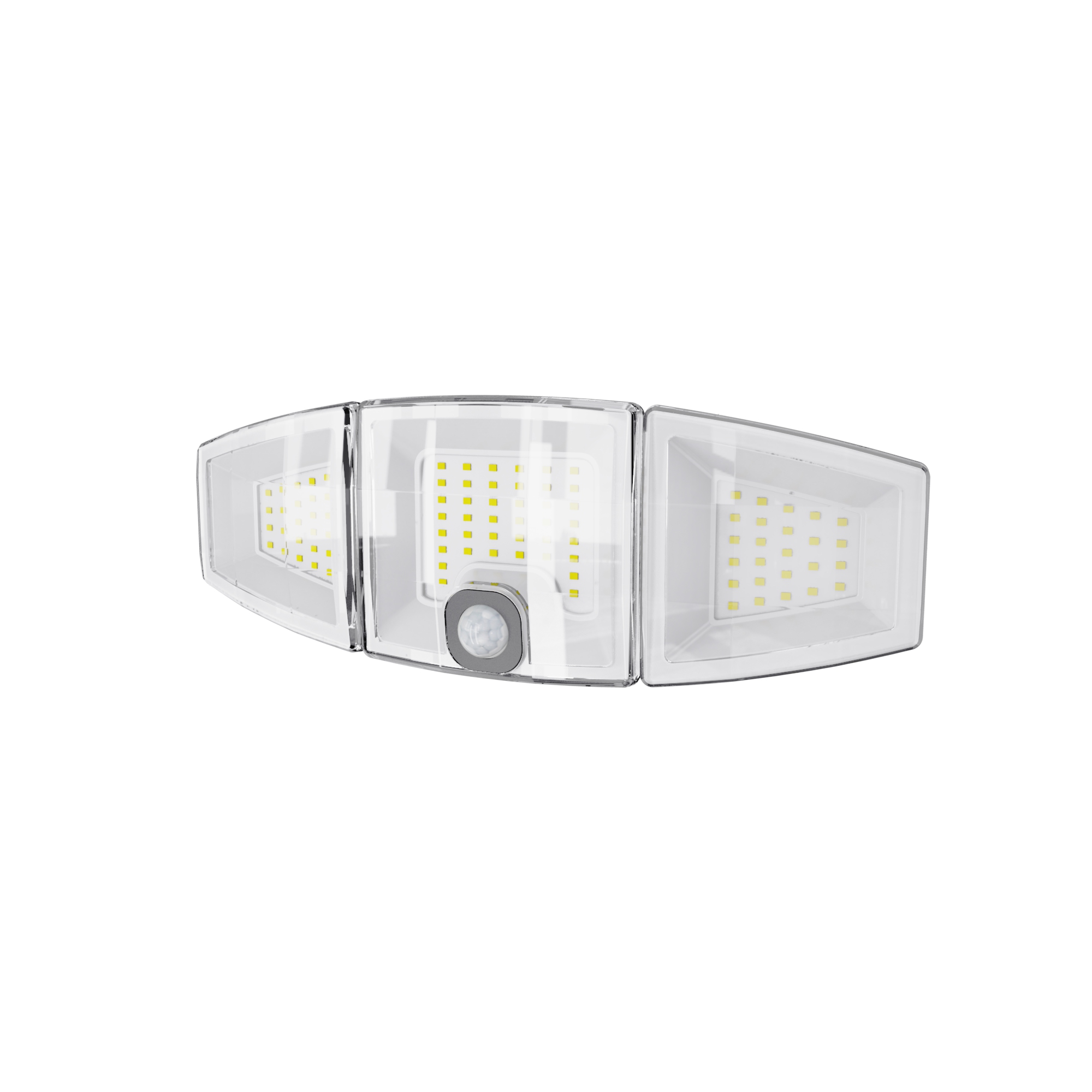

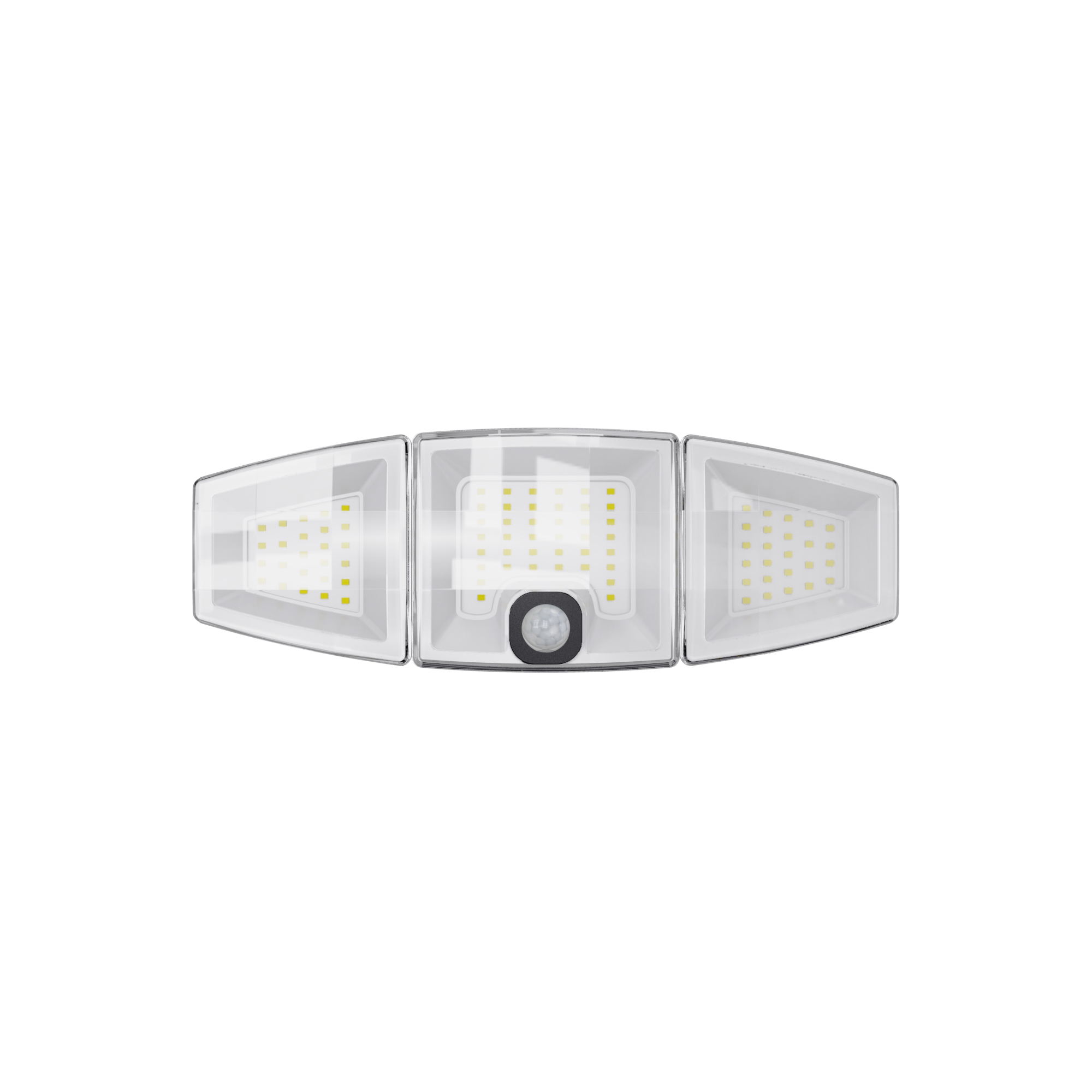
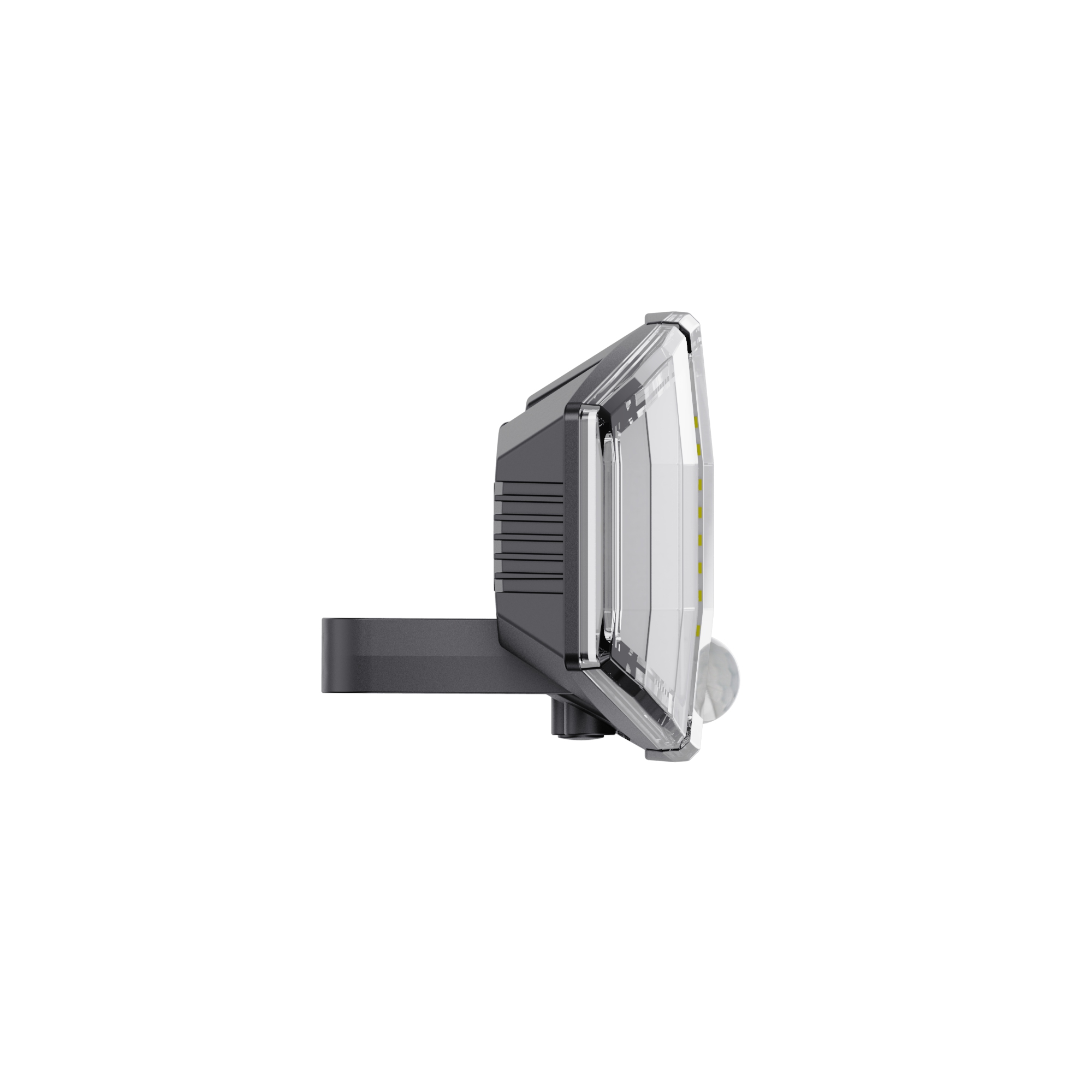
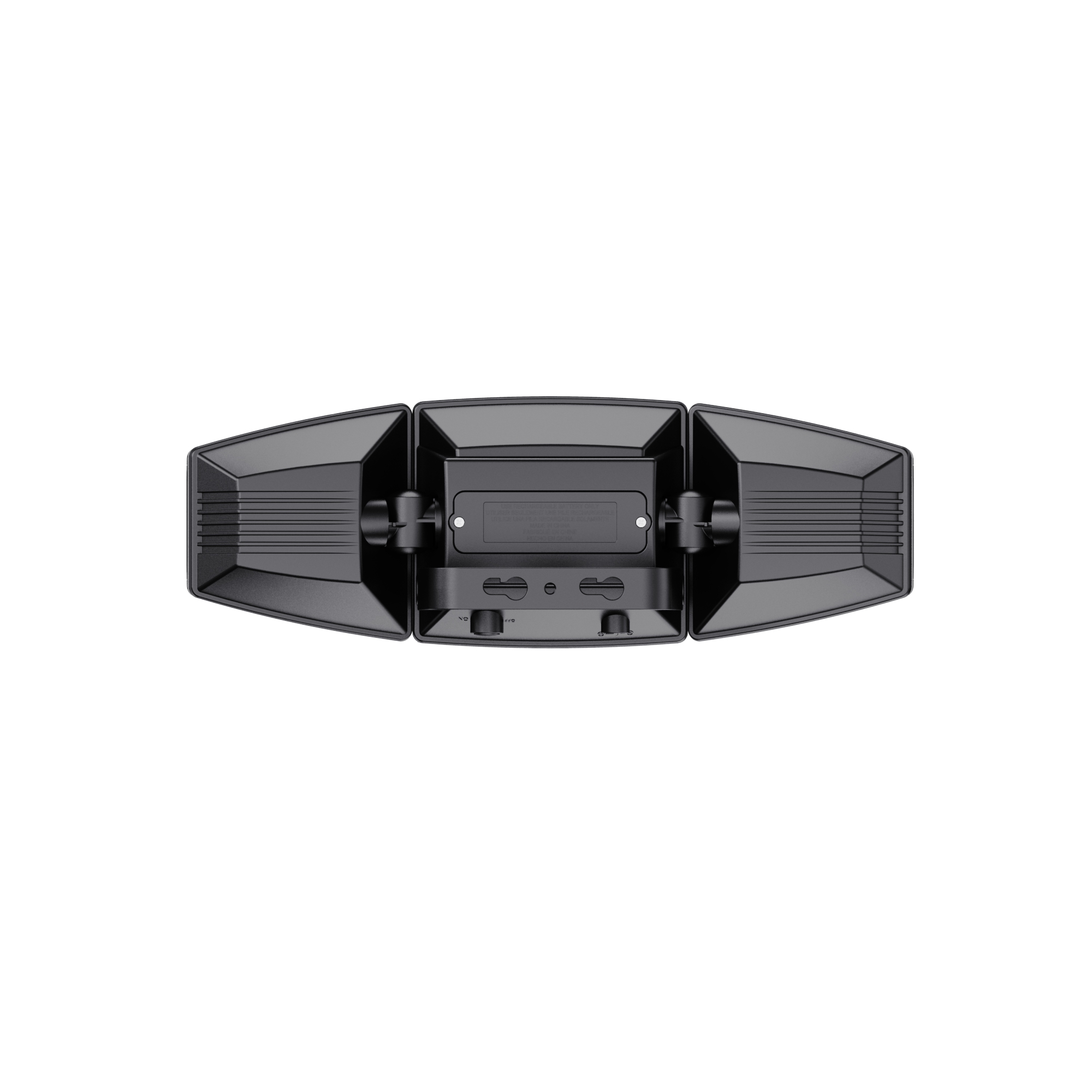
1500 Lumens Triple Head Solar Motion Sensor Security Light
Size of Light:33.4*17.3*9cm
Size of Solar Panel:14.1*16.3*6.2cm
Solar Panel:Amorphous silicon
Light Source:White SMD LED
LED Color Temperature:6000~6500K
Lumen Output:Maximum 1500 lumens
Battery:Lithium rechargeable battery
Switch:Push-button ON-OFF switch
Main Material:Plastic body
Detection Range:Maximum detecting angle 120°
Detection Distance:Maximum 10 meters
Time Delay:30s
How to Install and Use Your 1500 Lumens Triple Head Solar Motion Sensor Security Light
Welcome to our complete guide on getting the most out of your new 1500 Lumens Triple Head Solar Motion Sensor Security Light. This powerful, eco-friendly light is designed for effortless security and illumination. Follow this easy tutorial to ensure a perfect setup and optimal performance.
Before You Begin: What’s in the Box?
Triple Head Solar Security Light
Amorphous Silicon Solar Panel with Cable
Mounting Bracket & Hardware
User Manual
Step 1: Choose the Perfect Location
Selecting the right spot is crucial for performance. Keep these tips in mind:
For the Light: Mount it 6-10 feet (2-3 meters) above the ground, in a location that covers the area you want to illuminate and monitor (e.g., above a garage door, near a driveway, or in a backyard).
For the Solar Panel: This is the most important step! The solar panel MUST be placed where it can receive maximum direct sunlight throughout the day. Avoid shady areas, overhangs, and north-facing walls.
Detection Range: Remember, the motion sensor has a 120° detecting angle and a range of up to 10 meters (33 feet). Ensure the heads are angled so that movement happens across the sensor's field of view, not directly toward it, for best detection.
Step 2: Charge the Battery First!
CRITICAL FIRST STEP: Before first use, fully charge the battery for optimal performance.
1. Turn the ON/OFF Switch on the light to the OFF position.
2. Place the solar panel in direct, unobstructed sunlight.
3. Allow the built-in lithium battery to charge for at least 8-12 hours without turning the light on. This ensures a full battery for your first night of use.
Step 3: Install the Mounting Bracket
1. Hold the mounting bracket against the wall in your chosen location.
2. Use a pencil to mark the screw holes.
3. Drill pilot holes (if necessary for your wall material).
4. Secure the bracket firmly to the wall using the provided screws and anchors.
Step 4: Mount the Light and Solar Panel
1. Connect the Wires: First, plug the cable from the solar panel into the port on the back of the light unit.
2. Attach the Light: Hang the main light body onto the mounted bracket.
3. Secure the Solar Panel: Fix the solar panel to its chosen sunny location using the provided hardware. Ensure the panel is angled toward the sun for best charging efficiency.
Step 5: Configure Your Settings & Test
1. Power On: Flip the ON-OFF switch to the ON position. The light is now active and in motion-sensing mode.
2. Adjust the Heads: Manually adjust the three light heads to point exactly where you need the illumination—down a walkway, across a driveway, or toward a doorway.
3. Angle the Sensor: Adjust the motion sensor head (usually located on the center light) to cover the desired detection zone.
4. Test the Light: After installation, cover the solar panel or wait for nightfall. Walk through the detection area. The light should activate automatically, shine brightly for its set time delay (approx. 30 seconds), and then turn off.
Pro Tips for Maximum Performance
Keep It Clean: Wipe the solar panel gently with a soft, damp cloth every few months to remove dust, pollen, and snow. A clean panel charges much more efficiently.
Winter Care: Snow can block the panel. If you live in a snowy climate, consider installing the panel at a steeper angle so snow slides off more easily.
Check for Obstructions: As seasons change, ensure trees or new structures don’t cast shade on your solar panel.
Test Regularly: It’s a good practice to test the motion sensor function every month to ensure it's working correctly.
Frequently Asked Questions (FAQ)
Q: How long does the light stay on after detecting motion?
A: The default time delay is approximately 30 seconds. After this period, the light will automatically turn off if no further motion is detected.
Q: Why isn’t my light turning on at night?
A: The most common cause is an insufficiently charged battery. Ensure the solar panel is in full sun for an entire day and that the switch is in the ON position. Check that the connection between the panel and light is secure.
Q: What does 'Amorphous Silicon' solar panel mean?
A: This is a high-efficiency type of solar panel that performs better than standard panels in low-light conditions, such as on cloudy or overcast days.
Enjoy the enhanced security and convenience of your solar-powered motion light! By following these steps, you ensure a bright, reliable, and energy-efficient solution for your home.
Previous : 1200 Lumens Dual Head SolarMotion Sensor Security Light
Next : 1500 Lumens AC Powered Dual Head Motion Sensor Security Light

 Copy product links
 Long by picture save/share
INQUIRY


Add Successfully
INQUIRY
Add Successfully
点击右上角
分享给朋友吧
GET IN TOUCH

108 Building, No.2, Shui Chan Road, Qi Xing Gang, Shi Liu Gang, Haizhu District, Guangzhou, China

Call us : +86 189 2211 2396

Email us : sales9@showroomer.com

Tel : +86-20-3439 9310 ext. 617

SITEMAP
NEWS LETTER
Enter your email address for our mailing list to keep your self our lastest updated.
© 2024 Solar Nation Ltd. All rights reserved Site Map